
The Intelligence Feed
The Intelligence Feed is the first thing you see when you open the dashboard, and most days it's the only screen you'll need. It's a live column of cards that keeps updating on its own as new events land, newest at the top. Leave it open and it fills in around you.
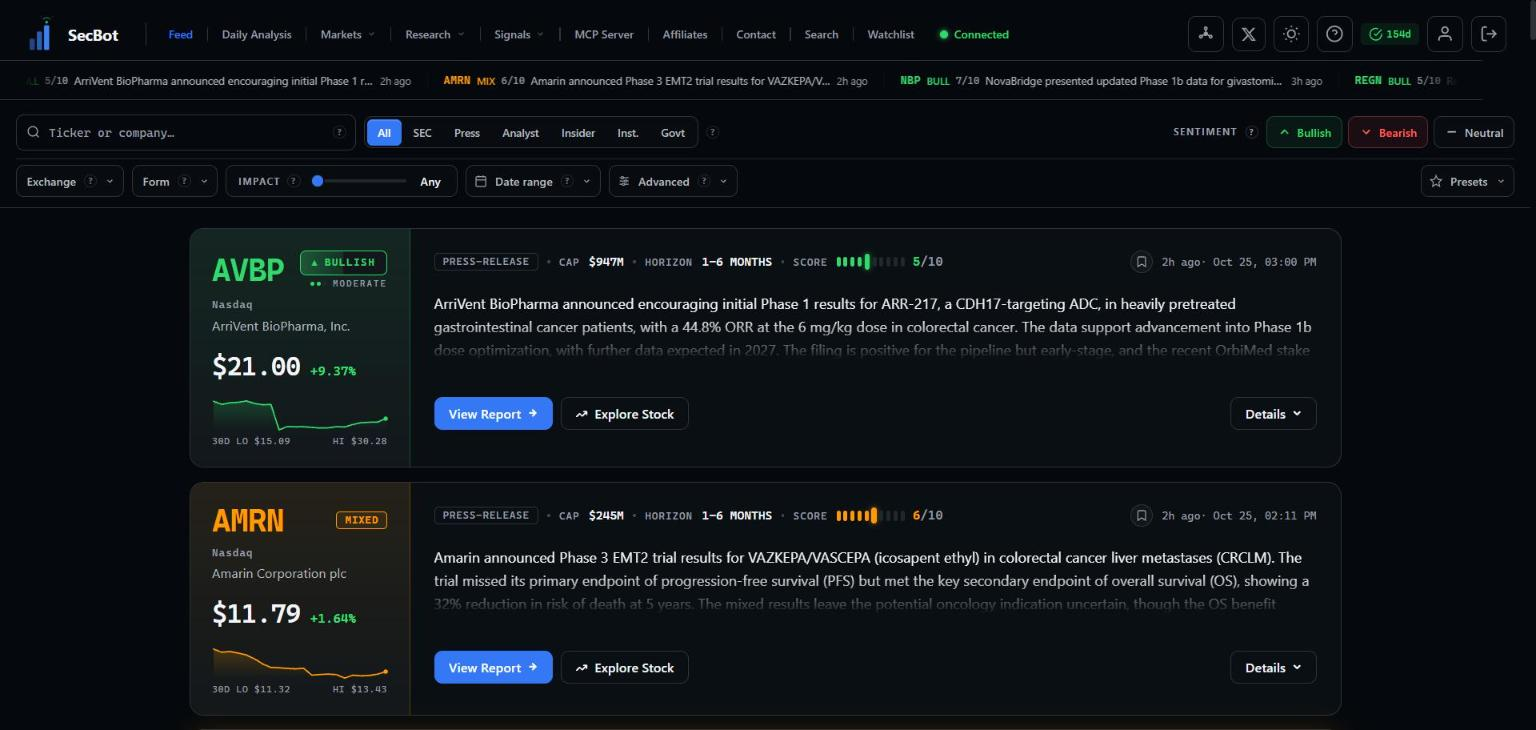 The feed streams scored events as they happen, newest first.
Each card is one event: a filing, an insider trade, a press release, an analyst call, a congressional disclosure. SecBot reads the event, works out what it means for the stock, and gives it a plain-English summary plus a score for how much it matters. You can read the full anatomy of a card in Reading an intelligence card.
The controls at a glance
Everything above the feed is there to cut it down to what you care about:
- A search box to jump straight to a ticker or company.
- Source chips — All, SEC, Press, Analyst, Insider, Inst., Govt — to keep one kind of event and drop the rest.
- Sentiment toggles — Bullish, Bearish, Neutral — to show only the directional read you're after. Cards can also come back Mixed.
- A filter row with Exchange, Form type, an Impact slider, Date range, and an Advanced panel for finer control.
- Presets to save a filter combination and reload it later in one click.
In the header you'll also find a display-density toggle that switches cards between compact and comfortable, handy when you want more on screen at once.
TIP
You don't have to set anything up to start. The feed works out of the box with everything turned on. Reach for the chips and filters once you know which events you actually trade.
Every card carries two ways deeper: View Report for the full breakdown and Explore Stock for the company's own page. Details expands a card in place without leaving the feed.
Next: learn the controls in Filters & presets, then how to scan quickly in Reading the cards.