
Your watchlist
The Watchlist page is where you set up SecBot to follow your own names. You track tickers, sort them into groups, and build alert rules that tell SecBot exactly which events are worth a message.
The watchlist needs a subscription. Free accounts see a Subscription Required screen in its place.
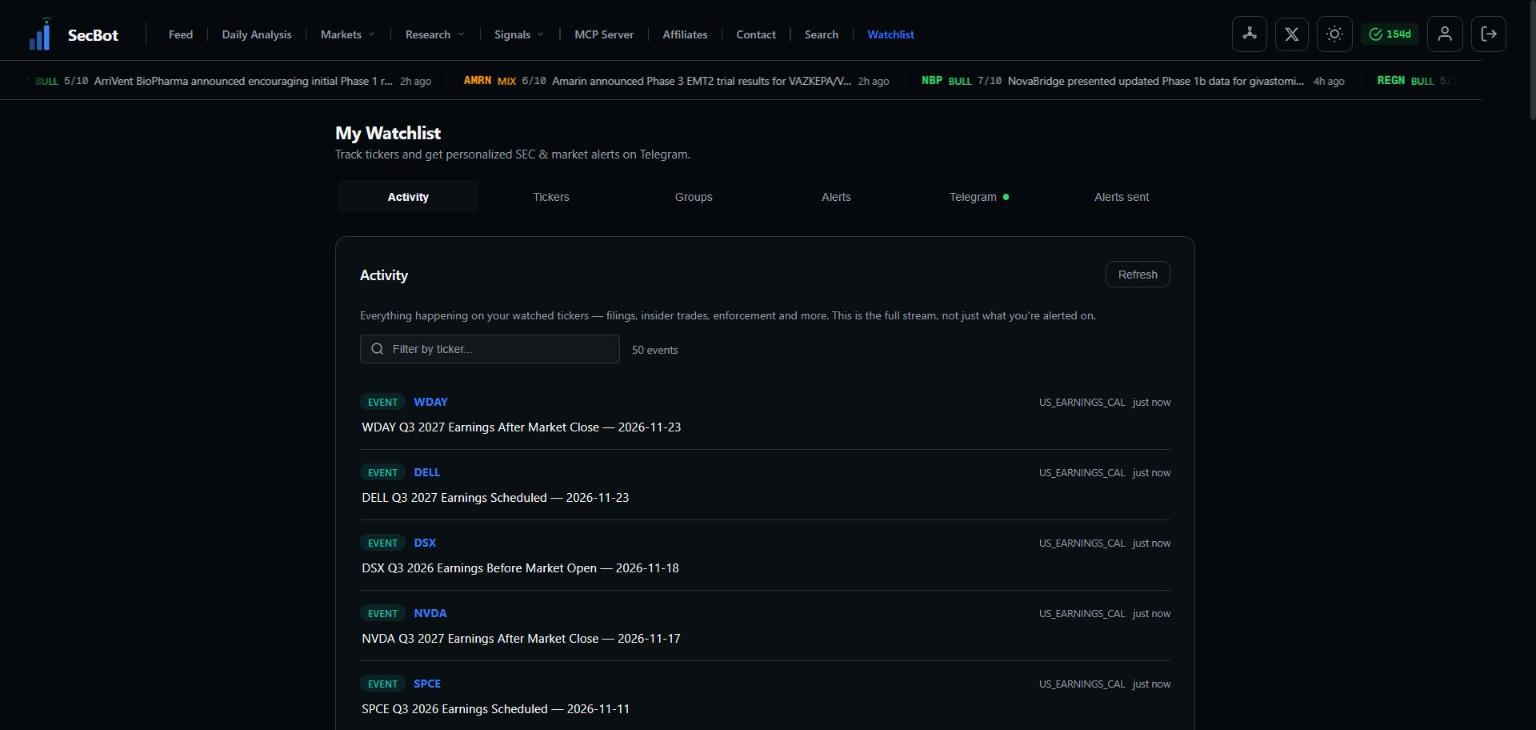 The Watchlist page. This screenshot predates the current tab layout.
The three steps
A Getting started checklist at the top of the page tracks your setup until all three steps are done:
- Add tickers to track. Pick the companies you care about.
- Create an alert. Choose what you want to be told about. You can start from a template.
- Connect Telegram. Link the bot so alerts arrive as DMs.
The tabs
- Activity — a running, newest-first stream of events on your tracked tickers: SEC filings, insider trades, enforcement actions, congressional trades and general events. You can filter it to one ticker.
- Tickers — your tracked list. Search by ticker or company to add a name. The counter shows how many you're tracking out of your limit. From here you can also add a ticker to a group, or create a new group for it on the spot.
- Groups — named baskets of tickers, such as "Biotech holds" or "Earnings this week". Alert rules target groups.
- Alerts — your alert rules. See Alert rules.
- Telegram — link or unlink the bot. See Connecting.
- Alerts sent — the last 100 alerts your rules matched. See Alert log.
Limits
| What | Limit |
|---|---|
| Tracked tickers | 50 |
| Ticker groups | 10 |
| Tickers per group (or per rule, if you pick specific tickers) | 30 |
| Alert rules | 20 |
Tracking vs. alerting
These are two different things:
- Tracking a ticker puts its events in your Activity tab.
- Alerts come only from your rules, and each rule watches a group or a hand-picked list of tickers. A tracked ticker that isn't in any rule's scope gets no alerts.
If you want alerts on a name, make sure it's in a group (or a ticker list) that one of your rules targets.
Pick the names you'd act on
The watchlist is most useful when it mirrors what you actually trade. Use groups to separate names by how closely you follow them, then give each group its own rule.
Next: build your first rule in Alert rules.