Reading the cards
The feed moves fast, so the trick is knowing what to look at and in what order. Once you have a rhythm, you can clear a busy session in a couple of minutes.
Scanning fast
Glance at three things on each card before anything else: the event type (what happened), the score (does it matter), and the sentiment (which way). If those three don't line up with something you trade, skip the card and move down. If they do, read the summary, which is written so you get the point without opening the source document.
The full anatomy of a card — the price, the chart, the badges, the timestamp — is laid out in Reading an intelligence card. This page is about what you do with one.
The three buttons take you progressively deeper:
- Details expands the card in place for a little more context without leaving the feed.
- Explore Stock opens the company's own page, where its recent events and price history sit together.
- View Report opens the full breakdown, covered below.
TIP
Run the Impact slider fairly high while the market is open so only the cards worth a look reach you. Drop it later when you want to fill in the picture.
The full report
View Report opens the complete read on an event. You get three things:
- A market snapshot taken at the time of the event — price, percent change, and volume — so you can see what the stock was doing the moment it landed.
- A detailed written read of what actually happened and why it matters, going well beyond the one-paragraph summary on the card.
- Related filings tied to the same company and event, so you can trace the source and the surrounding context without hunting for it yourself.
This is where you go before you act on a card. The summary tells you whether something is worth your attention; the report gives you enough to make a call.
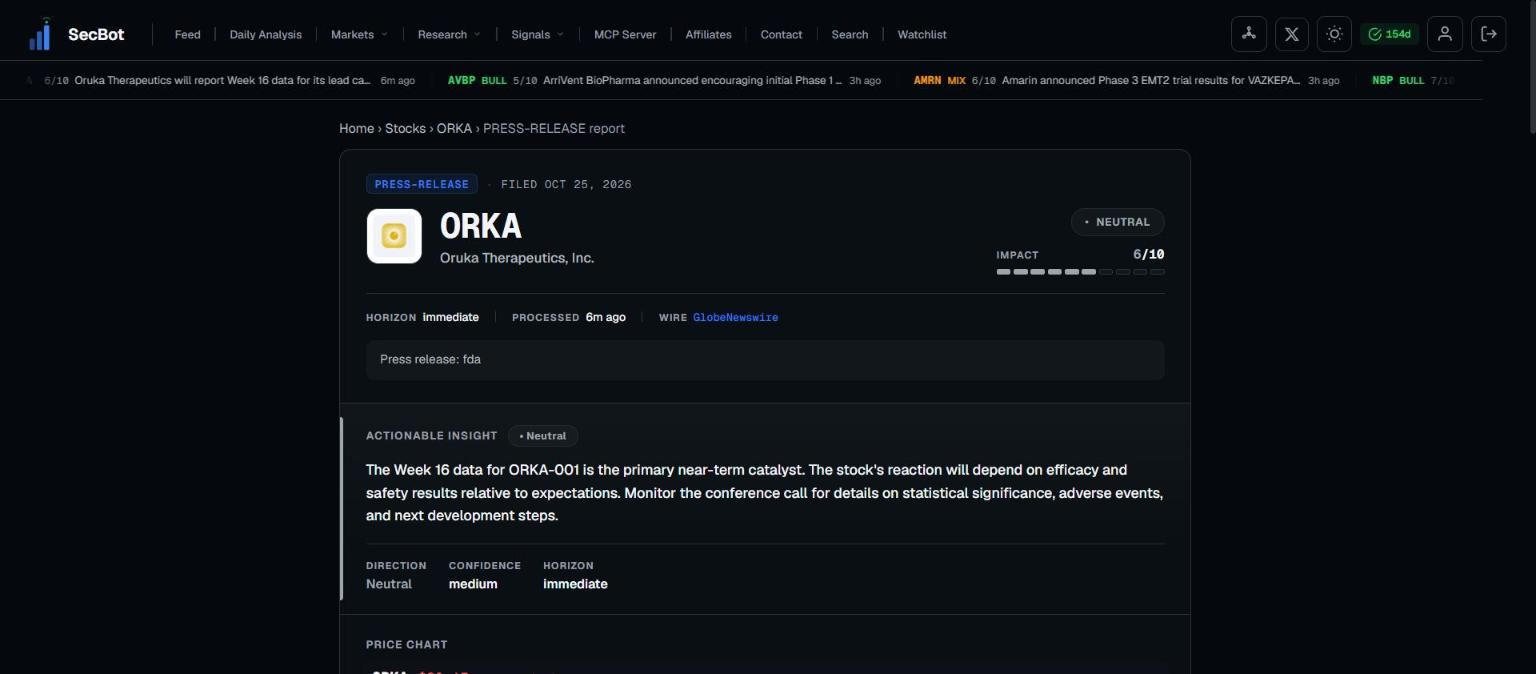 View Report adds the market snapshot, the full read, and related filings.
Next: Reading an intelligence card breaks down every part of the card itself.