
Heatmap
The Heatmap shows the whole market on one screen. Every tile is a company, sized by market cap and colored by how far it moved, so you can tell at a glance whether the day is broad strength, broad weakness, or a few big names doing all the work.
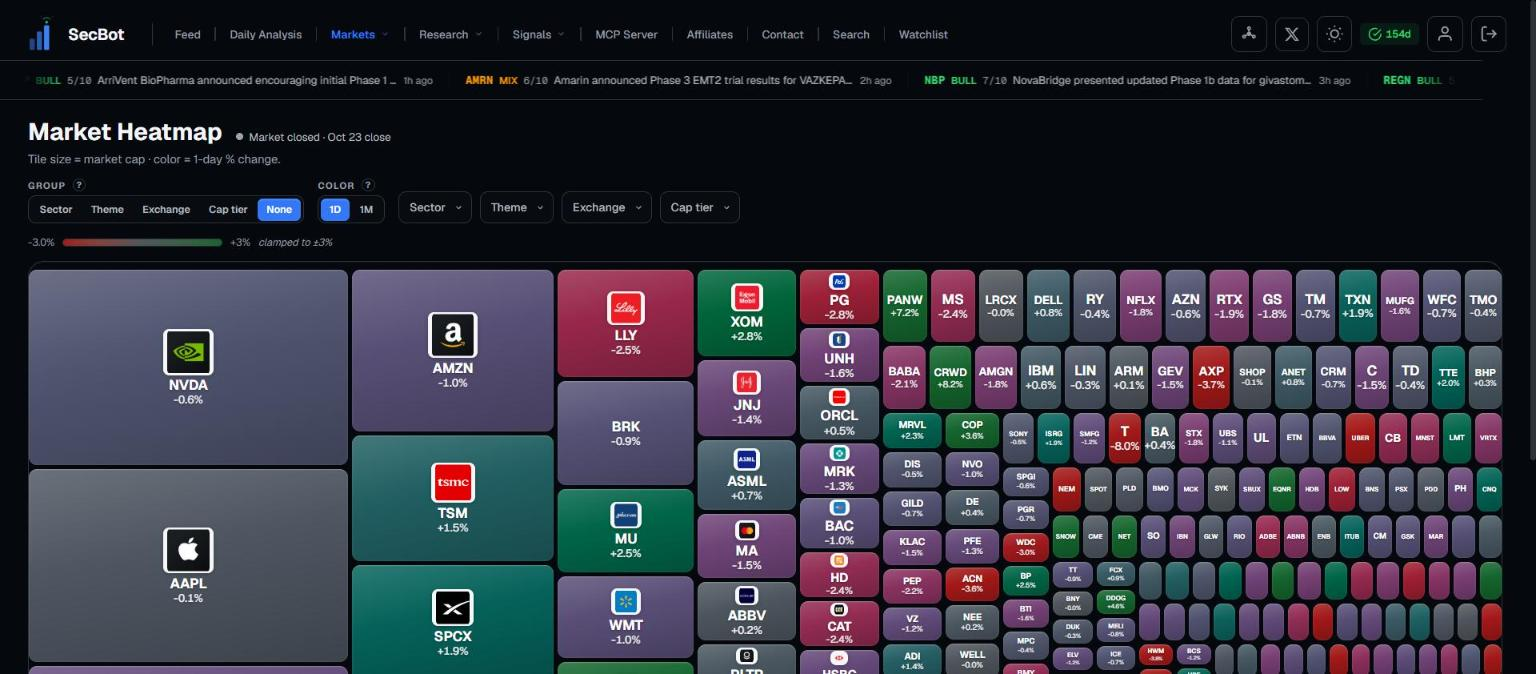 Tiles sized by market cap and colored by the day's move.
Reading the tiles
- One tile per company. Share classes are merged, so BRK-B shows as BRK.
- Tile size = market cap.
- Color = % change, from deep red through neutral to deep green, clamped to ±3%. Anything beyond ±3% shows at full color.
- Tiles with no value for the chosen timeframe stay neutral.
- Hover or focus a tile for a card with ticker, logo, % change, name, price, market cap, volume and sector.
- Click a tile to open that stock's page.
Timeframe
- 1D (default): during market hours this is today's live move; outside market hours it's the last full session's close against the prior close.
- 1M: the 1-month return from the nightly snapshot.
The status badge tells you what you're looking at:
- Live · as of <ET time>, sometimes with "N tiles at <date> close" when some tiles are still on a prior close.
- Prior close
- Market closed
Grouping and filters
Group by arranges tiles into blocks: Sector, Theme, Exchange, Cap tier, or None (the default). Companies without an exchange or theme go into "Other"; companies without a sector go into "Uncategorized".
Filters are multi-select, and an empty filter means all:
- Sector, Theme, Exchange
- Cap tier: Mega ≥$200B, Large ≥$10B, Mid ≥$2B, Small ≥$300M, Micro under $300M
On phones and narrow screens the filters live in a Filters sheet.
TIP
Group by Sector on a big down day. If one block is red and the rest are mixed, you're looking at a sector story, not a market-wide selloff.
How much it shows
The Heatmap shows up to the 400 largest companies, fewer on narrow screens. When the screen limit cuts tiles, you'll see "Showing top X of Y by market cap".
Access
The Heatmap is free to view with no subscription gating. The page loads once, so reload it for a fresh snapshot.
Related: Market Galaxy, Narratives, Market Flow.